

A running log of tweaks for the WordPress Block Editor (Gutenberg) that don’t quite warrant a full on guide.
Adding Custom Colors to the Color Picker
If you find yourself in a situation where you need to add custom colors but don’t have the tooling available, here are some ways to get the job done.
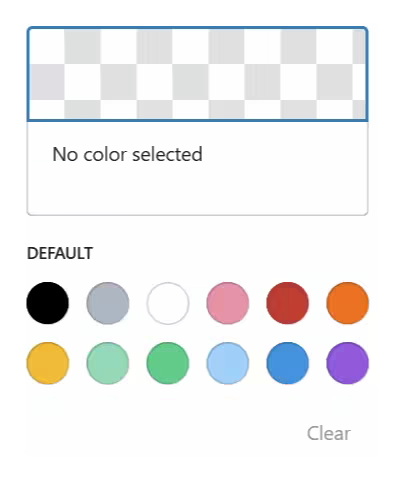
Method 1: Theme.json
This method will also work if you are using a classic theme (i.e., not block-based) while still using the block editor.
- Create a theme.json file at the root of your child theme.
- Add the code from the snippet below.
- Adjust lines like the ones highlighted below with your desired colors.
JSON
{
  "$schema": "https://schemas.wp.org/trunk/theme.json",
  "version": 3,
  "settings": {
    "layout": {
      "contentSize": "800px",
      "wideSize": "1200px"
    },
    "color": {
      "palette": [
        {
          "name": "Custom Brand Blue",
          "slug": "custom-brand-blue",
          "color": "#0073aa"
        },
        {
          "name": "Custom Brand Green",
          "slug": "custom-brand-green",
          "color": "#2ecc71"
        },
        {
          "name": "Custom Brand Purple",
          "slug": "custom-brand-purple",
          "color": "#9b59b6"
        }
      ]
    }
  }
}How to Make It Respect Your Existing Width
You may need to adjust lines 6-7 if you face layout issues. According to AI…
- Replace 800px with your theme’s actual content width (look in your theme’s style.css for .entry-content, .post-content, or check $content_width in functions.php).
- Set wideSize to be approximately 300–400 pixels wider than contentSize.
Method 2: Code Snippet
- Add the code snippet below to your site. (Code Snippet Solutions)
- Adjust lines like the ones highlighted below with your desired colors.
PHP
<?php

add_filter( 'block_editor_settings_all', 'add_extra_native_editor_color', 20, 2 );

function add_extra_native_editor_color( $settings, $post ) {
    // Define the 3 custom colors
    $new_colors = [
        [
            'name'  => __( 'Custom Brand Blue', 'my-theme' ),
            'slug'  => 'custom-brand-blue',
            'color' => '#0073aa',
        ],
        [
            'name'  => __( 'Custom Brand Red', 'my-theme' ),
            'slug'  => 'custom-brand-red',
            'color' => '#e74c3c',
        ],
        [
            'name'  => __( 'Custom Brand Green', 'my-theme' ),
            'slug'  => 'custom-brand-green',
            'color' => '#2ecc71',
        ]
    ];

    if ( empty( $settings['colors'] ) ) {
        $settings['colors'] = [];
    }

    // Only add if slug doesn't already exist (prevents duplicates)
    foreach ( $new_colors as $new_color ) {
        $exists = false;
        foreach ( $settings['colors'] as $existing_color ) {
            if ( ! empty( $existing_color['slug'] ) && $existing_color['slug'] === $new_color['slug'] ) {
                $exists = true;
                break;
            }
        }
        if ( ! $exists ) {
            $settings['colors'][] = $new_color;
        }
    }

    return $settings;
}